



Jhun
Legacy Member
| Overview |
| In this lesson, students will learn to read and count in steps of 10 from 0 and in any number. The purpose of these activities is to improve the pupil's skills in step counting. |
| Objective(s) |
|
| National Curriculum (UK) - Year 2 program of study. | Number and place value; count in steps of 2, 3, and 5 from 0, and in 10s from any number, forward and backward |
| Common Core Curriculum Links (California) | Grade 1: Operations and Algebraic Thinking 1.OA Add and subtract within 20. 5. Relate counting to addition and subtraction (e.g., by counting on 2 to add 2). Grade 2: Number and Operations in Base Ten 2.NBT Understanding place value 2. Count within 1000; skip-count by 2s, 5s, (10s, and 100s*). CA *Lesson 2 will cover 10s & 100s |
| Resources | Presentation1 (Skip counting in 3's) Worksheet 1 (Activity sheet 1) Worksheet 2 (Activity sheet 2) Worksheet 3 (Activity sheet 3) Whiteboard and Pen Computer and speaker *Depends on Availability |
Procedure
| Introduction (5-10 minutes) |
*You can ask pupils to write their answers on a mini whiteboard or hold up their fingers to show you the answers. To assess their understanding before the tasks. |


| Exploration (15-20 minutes) |
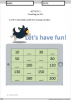
This is the main part of your lesson, there will be 2 main parts: Discussion of the lesson and then the students will be asked to answer 2 worksheets.
|


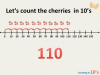


| Summary/Plenary (5-10 minutes) 1. The teacher will ask the students to face their shoulder partners. Usually, the person beside them right or left. 2. They will have an activity called "Rally Robin". 3. Each partner will recite counting by 10's alternately.
|
To assess their knowledge further;
|
| Extension |
| Students can answer worksheet 3. |
| Worksheet/Handout Previews | ||||||
|---|---|---|---|---|---|---|
| Presentation Preview | ||||||
|



Attachments
-
 Screen Shot 2020-07-02 at 7.38.27 AM.png100.9 KB · Views: 319
 -
 Screen Shot 2020-07-02 at 10.21.24 AM.png41.9 KB · Views: 172
 -
 Screen Shot 2020-07-02 at 10.34.04 AM.png42.4 KB · Views: 162
 -
 Screen Shot 2020-07-02 at 10.34.17 AM.png82.6 KB · Views: 168
 -
 Screen Shot 2020-07-02 at 7.38.27 AM.png100.9 KB · Views: 166
 -
 Screen Shot 2020-07-02 at 10.34.04 AM.png42.4 KB · Views: 175
 -
 Screen Shot 2020-07-02 at 10.34.04 AM.png42.4 KB · Views: 169
 -
 Screen Shot 2020-07-02 at 10.34.17 AM.png82.6 KB · Views: 170
 -
 Screen Shot 2020-07-02 at 12.06.28 PM.png75 KB · Views: 151
 -
 Screen Shot 2020-07-02 at 12.34.48 PM.png93.1 KB · Views: 164
 -
 Screen Shot 2020-07-02 at 12.34.48 PM.png93.1 KB · Views: 159
 -
 Screen Shot 2020-07-02 at 12.44.18 PM.png73.4 KB · Views: 178
 -
 Screen Shot 2020-07-02 at 12.44.18 PM.png73.4 KB · Views: 147
 -
 Screen Shot 2020-07-02 at 12.34.48 PM.png93.1 KB · Views: 178
 -
 Screen Shot 2020-07-02 at 12.34.48 PM.png93.1 KB · Views: 153
 -
 Screen Shot 2020-07-02 at 12.44.18 PM.png73.4 KB · Views: 163
 -
 Screen Shot 2020-07-02 at 12.44.18 PM.png73.4 KB · Views: 172
 -
 Screen Shot 2020-07-02 at 12.44.18 PM.png73.4 KB · Views: 167
 -
 Screen Shot 2020-07-02 at 12.44.18 PM.png73.4 KB · Views: 155
 -
 Screen Shot 2020-07-02 at 7.38.27 AM.png100.9 KB · Views: 154
 -
ACTIVITY 2 counting by 10's.docx361.3 KB · Views: 169
-
Activity 3 -counting by 10's advance.pdf220.7 KB · Views: 210
-
Activity 3 -counting by 10's advance.docx234 KB · Views: 213
-
ACTIVITY 2 counting by 10's.pdf550.9 KB · Views: 246
-
Activity 1 counting by 10's.pdf278.6 KB · Views: 227
-
Activity 1 counting by 10's.docx11.2 MB · Views: 181
-
 Screen Shot 2020-07-02 at 1.13.41 PM.png33.4 KB · Views: 169
 -
 Screen Shot 2020-07-02 at 1.13.41 PM.png33.4 KB · Views: 148
 -
Presentation 1 counting in 10's.ppt2.5 MB · Views: 229
-
Presentation 1 counting in 10's.pdf3.2 MB · Views: 201
-
Presentation 1 counting in 10's.pptx400.5 KB · Views: 166
-
 Screen Shot 2020-07-02 at 4.25.49 PM.png34.8 KB · Views: 159
 -
 Screen Shot 2020-07-02 at 4.25.37 PM.png37.1 KB · Views: 157
 -
 Screen Shot 2020-07-02 at 4.25.37 PM.png37.1 KB · Views: 155
 -
 Screen Shot 2020-07-02 at 4.25.26 PM.png39.2 KB · Views: 166
 -
 Screen Shot 2020-07-02 at 4.25.26 PM.png39.2 KB · Views: 162
 -
 Screen Shot 2020-07-02 at 4.25.49 PM.png34.8 KB · Views: 150
 -
 Screen Shot 2020-07-02 at 4.25.37 PM.png37.1 KB · Views: 155
 -
 Screen Shot 2020-07-02 at 4.25.26 PM.png39.2 KB · Views: 138
 -
 Screen Shot 2020-07-02 at 4.25.16 PM.png40.7 KB · Views: 151
 -
 Screen Shot 2020-07-02 at 4.25.07 PM.png41.8 KB · Views: 142
 -
 Screen Shot 2020-07-02 at 4.24.56 PM.png44 KB · Views: 145
 -
 Screen Shot 2020-07-02 at 4.24.47 PM.png44.5 KB · Views: 138
 -
 Screen Shot 2020-07-02 at 4.24.37 PM.png47.3 KB · Views: 147
 -
 Screen Shot 2020-07-02 at 4.24.24 PM.png48.3 KB · Views: 150
 -
 Screen Shot 2020-07-02 at 4.24.10 PM.png51.1 KB · Views: 150
 -
 Screen Shot 2020-07-02 at 4.24.00 PM.png51.2 KB · Views: 136
 -
 Screen Shot 2020-07-02 at 4.23.30 PM.png53.3 KB · Views: 136
 -
 Screen Shot 2020-07-02 at 4.23.21 PM.png54.7 KB · Views: 141
 -
 Screen Shot 2020-07-02 at 4.23.06 PM.png55.5 KB · Views: 143
 -
 Screen Shot 2020-07-02 at 4.22.56 PM.png56.5 KB · Views: 136